dotsai.pro
Sign in
🚀 Create your next AI video — bring your ideas to life.

GPT Image 2.5HOTImage Prompts

AI Generations

AI VideoAI Image

Models

Veo AI VideoKling AI VideoBanana AI Image

Assets LibraryFavorites
What's New
Upgrade Plan
dotsai.pro
  1. Home
  2. Explore Grok
  3. Grok

Explore Illustration and Visual Concepts with Grok

Explore Grok Image Ideas with dotsai.pro

Choose only the resolution and aspect ratio shown for the selected model. Check framing, fine details and any text in the completed image. A larger output size does not guarantee a more accurate result.

result fast text-to-image creation capabilities
Explore how natural-language image editing works
See the power of reference image control
Hero image
result fast text-to-image creation capabilities
Explore how natural-language image editing works
See the power of reference image control

AI Image Generator

0/2000
Required Credits—
Each image is billed separately. Your images continue generating in the background.
1 / 12
Behind Transparent X-Ray Scan Panel
Verified prompt

Two anime-style characters standing behind a futuristic transparent X-ray scanning panel, each leaning on it casually. Their full bodies are visible through the glowing glass as stylized, semi-transparent X-ray scans. [INSERT SCAN DETAILS HERE — e.g. hybrid anatomy, supernatural markings, implants, etc.]. Futuristic sci-fi interface overlays on the glass, with holographic HUD elements and glowing digital text. The background is minimal and sterile, resembling a high-tech medical chamber. The characters are [INSERT CHARACTER NAMES & DESCRIPTION HERE — appearance, expression, outfit], drawn in modern high-quality anime style. The scene uses soft colored lighting (e.g. cyan, pink, red depending on the pair), expressive animation, and cinematic composition.
Two anime-style characters standing behind a futuristic transparent X-ray scanning panel, each leaning on it casually. Their full bodies are visible through the glowing glass as stylized, semi-transparent X-ray scans. [INSERT SCAN DETAILS HERE — e.g. hybrid anatomy, supernatural markings, implants, etc.]. Futuristic sci-fi interface overlays on the glass, with holographic HUD elements and glowing digital text. The background is minimal and sterile, resembling a high-tech medical chamber. The characters are [INSERT CHARACTER NAMES & DESCRIPTION HERE — appearance, expression, outfit], drawn in modern high-quality anime style. The scene uses soft colored lighting (e.g. cyan, pink, red depending on the pair), expressive animation, and cinematic composition.
1:1 · SOURCE
Object in Transparent Plastic Bag
Verified prompt

A high-resolution photograph of a clear plastic drawstring bag placed on a light gray background. Inside the bag are multiple tiny 3D [subject] figures arranged neatly. The bag is tied with a soft white ribbon and has a black label tag that reads ‘[LABEL TEXT]’. Soft lighting and clean shadows emphasize the realistic textures and details

A high-resolution photograph of a clear plastic drawstring bag placed on a light gray background. Inside the bag are multiple tiny 3D [subject] figures arranged neatly. The bag is tied with a soft white ribbon and has a black label tag that reads ‘[LABEL TEXT]’. Soft lighting and clean shadows emphasize the realistic textures and details

1:1 · SOURCE
Model Standing on Black & White Billboards
Verified prompt

high-resolution bird's-eye view photograph was taken with a LOMO Ic-a. The ground is covered with countless black-and-white billboard advertisements of beautiful fashion models, and standing on top of the advertisements is an incredibly beautiful Japanese film actress wearing a long black coat.

high-resolution bird's-eye view photograph was taken with a LOMO Ic-a. The ground is covered with countless black-and-white billboard advertisements of beautiful fashion models, and standing on top of the advertisements is an incredibly beautiful Japanese film actress wearing a long black coat.

16:9 · SOURCE
Sitting on Modern Subway Bench
Verified prompt

Reference image: uploaded photo Face: keep the same face from the reference photo, calm and composed expression, eyes slightly hidden behind dark sunglasses. Preserve realistic proportions and lighting. Pose: seated pose on a modern subway bench, one arm resting on the leg, the other hanging down loosely. The body leans slightly forward with casual confidence, one shoulder lowered. Clothes: oversized houndstooth-patterned jacket over black turtleneck, wide dark jeans, chunky lace-up boots. Accessories: narrow black sunglasses, subtle rings, crossbody strap barely visible. Background: minimalistic urban metro interior with grey concrete walls, metallic accents, and modern geometric design. Lighting: diffused artificial indoor light, soft shadows, neutral color balance emphasizing grayscale tones. Atmosphere: moody street editorial — quiet confidence, understated power, cinematic stillness. Format: 2:3 Do not replace face; keep the same person with realistic proportions and lighting accuracy.

Reference image: uploaded photo Face: keep the same face from the reference photo, calm and composed expression, eyes slightly hidden behind dark sunglasses. Preserve realistic proportions and lighting. Pose: seated pose on a modern subway bench, one arm resting on the leg, the other hanging down loosely. The body leans slightly forward with casual confidence, one shoulder lowered. Clothes: oversized houndstooth-patterned jacket over black turtleneck, wide dark jeans, chunky lace-up boots. Accessories: narrow black sunglasses, subtle rings, crossbody strap barely visible. Background: minimalistic urban metro interior with grey concrete walls, metallic accents, and modern geometric design. Lighting: diffused artificial indoor light, soft shadows, neutral color balance emphasizing grayscale tones. Atmosphere: moody street editorial — quiet confidence, understated power, cinematic stillness. Format: 2:3 Do not replace face; keep the same person with realistic proportions and lighting accuracy.

9:16 · SOURCE
Brand Studio Photography
Verified prompt

RACTER] sitting centered on an oversized puffy lounge sofa in [SOFA_COLOR], relaxed pose with one hand under chin, full-body. Clean white seamless studio, premium fashion-editorial lighting, hyper-real, minimal. Big spray-paint graffiti on the back wall reading “[TEXT]” with soft overspray and slight drips. 85mm look, crisp details, no clutter, no watermark. --ar 3:4

RACTER] sitting centered on an oversized puffy lounge sofa in [SOFA_COLOR], relaxed pose with one hand under chin, full-body. Clean white seamless studio, premium fashion-editorial lighting, hyper-real, minimal. Big spray-paint graffiti on the back wall reading “[TEXT]” with soft overspray and slight drips. 85mm look, crisp details, no clutter, no watermark. --ar 3:4

9:16 · SOURCE
Cozy Weekend Starts Here
Verified prompt

retexture the image attached based on the json below: { "style_name": "Soft Minimal 3D Plastic", "retexture_mode": "shape_lock", "object_analysis": { "preserve_silhouette": true, "geometry_sensitive_mapping": true, "detail_retention": "flatten complex details into simplified geometry blocks" }, "material_properties": { "base_material": [ "smooth matte plastic", "metallic edge trim with satin finish", "semi-reflective black screen surface" ], "surface_details": [ "subtle color gradient", "rounded bevels and corners", "soft transition between surfaces" ] }, "lighting": { "type": "soft gradient ambient light", "shadows": "minimal, soft-edged shadows", "highlights": "diffused, low-intensity reflections" }, "background": { "color": "pastel gradient (blue to cream)", "texture": "smooth and untextured", "elements": "clean background with no added geometry" }, "rendering": { "style": "isometric 3D render", "resolution": "high, with slight bloom", "focus": "central object, no depth blur" }, "color_palette": { "primary": ["cool grey", "steel blue", "soft charcoal"], "accents": ["light lavender", "pastel yellow"] } }

retexture the image attached based on the json below: { "style_name": "Soft Minimal 3D Plastic", "retexture_mode": "shape_lock", "object_analysis": { "preserve_silhouette": true, "geometry_sensitive_mapping": true, "detail_retention": "flatten complex details into simplified geometry blocks" }, "material_properties": { "base_material": [ "smooth matte plastic", "metallic edge trim with satin finish", "semi-reflective black screen surface" ], "surface_details": [ "subtle color gradient", "rounded bevels and corners", "soft transition between surfaces" ] }, "lighting": { "type": "soft gradient ambient light", "shadows": "minimal, soft-edged shadows", "highlights": "diffused, low-intensity reflections" }, "background": { "color": "pastel gradient (blue to cream)", "texture": "smooth and untextured", "elements": "clean background with no added geometry" }, "rendering": { "style": "isometric 3D render", "resolution": "high, with slight bloom", "focus": "central object, no depth blur" }, "color_palette": { "primary": ["cool grey", "steel blue", "soft charcoal"], "accents": ["light lavender", "pastel yellow"] } }

16:9 · SOURCE
Super Animal Hero
Verified prompt

A hyper-realistic square 1:1 portrait of a [YOUR ANIMAL] standing in a heroic pose, facing slightly left. The animal wears a textured dark gray superhero suit, form-fitting and matte, with visible fabric grain and subtle seams. On its chest, inside a golden metallic Superman-style diamond emblem, is a fabric-embroidered version of the [COUNTRY] national flag (realistic stitching, slightly raised). Draped over the animal’s shoulder is a flowing cape designed from the [COUNTRY] flag, with rich fabric folds and natural weight. Behind the subject, use a realistic fabric backdrop displaying the full [COUNTRY] flag, slightly out of focus to add depth, with soft shadows to enhance realism. Lighting should be warm and directional (studio-style), emphasizing the animal’s fur texture, suit material, and the contours of a subtly muscular chest. The overall tone is dramatic and cinematic, with a warm color grading and no excessive contrast. The head must be fully visible — no cropping.

A hyper-realistic square 1:1 portrait of a [YOUR ANIMAL] standing in a heroic pose, facing slightly left. The animal wears a textured dark gray superhero suit, form-fitting and matte, with visible fabric grain and subtle seams. On its chest, inside a golden metallic Superman-style diamond emblem, is a fabric-embroidered version of the [COUNTRY] national flag (realistic stitching, slightly raised). Draped over the animal’s shoulder is a flowing cape designed from the [COUNTRY] flag, with rich fabric folds and natural weight. Behind the subject, use a realistic fabric backdrop displaying the full [COUNTRY] flag, slightly out of focus to add depth, with soft shadows to enhance realism. Lighting should be warm and directional (studio-style), emphasizing the animal’s fur texture, suit material, and the contours of a subtly muscular chest. The overall tone is dramatic and cinematic, with a warm color grading and no excessive contrast. The head must be fully visible — no cropping.

1:1 · SOURCE
Shattered Truth
Verified prompt

ose-up of [SUBJECT 1] holding a mirror shard to their face. The shard reflects a completely different [SUBJECT 2]. Around them, small cracks spread through the air like fractures in invisible glass, warping the space itself.

ose-up of [SUBJECT 1] holding a mirror shard to their face. The shard reflects a completely different [SUBJECT 2]. Around them, small cracks spread through the air like fractures in invisible glass, warping the space itself.

16:9 · SOURCE
Human Goldfish
Verified prompt

gh-end glossy surreal fashion photograph of a young woman floating inside a giant transparent plastic water bag, like a human goldfish. She wears a tight black catsuit and white sneakers, her body posed in a graceful mid-motion curve, one arm lifted, the other extended, hair drifting weightlessly in the water. Three small golden fish swim around her, adding playful contrast. The bag is held from above by a large manicured hand with long red nails, stretching the plastic and creating sharp specular highlights and distortions. Background: a clean deep red studio backdrop with subtle gradient and no distractions. Lighting is cinematic and polished, with crisp reflections on the plastic, smooth skin tones, and strong contrast that emphasizes the contours of her body and the surreal aquarium concept. Ultra-high resolution, editorial campaign quality.

gh-end glossy surreal fashion photograph of a young woman floating inside a giant transparent plastic water bag, like a human goldfish. She wears a tight black catsuit and white sneakers, her body posed in a graceful mid-motion curve, one arm lifted, the other extended, hair drifting weightlessly in the water. Three small golden fish swim around her, adding playful contrast. The bag is held from above by a large manicured hand with long red nails, stretching the plastic and creating sharp specular highlights and distortions. Background: a clean deep red studio backdrop with subtle gradient and no distractions. Lighting is cinematic and polished, with crisp reflections on the plastic, smooth skin tones, and strong contrast that emphasizes the contours of her body and the surreal aquarium concept. Ultra-high resolution, editorial campaign quality.

9:16 · SOURCE
Cool and Elegant Product Poster
Verified prompt

Imagine a visual concept where [insert your product] — featuring Korean text on the label — is suspended inside a cracked, ultra-clear block of ice. The product is fully visible through the ice, with soft frost forming around it. It rests on smooth white silk, and the ambient lighting is cold and elegant, with reflections dancing across the surface. Describe the entire scene in rich visual detail, in the style of a luxurious Korean skincare advertisement.

Imagine a visual concept where [insert your product] — featuring Korean text on the label — is suspended inside a cracked, ultra-clear block of ice. The product is fully visible through the ice, with soft frost forming around it. It rests on smooth white silk, and the ambient lighting is cold and elegant, with reflections dancing across the surface. Describe the entire scene in rich visual detail, in the style of a luxurious Korean skincare advertisement.

9:16 · SOURCE
Future OpenAI Wearable Device
Verified prompt

Create image with 1:1 ratio A next-gen wearable ai [device type] blending Jony Ive–inspired refined minimalism with a new material and interaction language symbolizing the power ChatGPT. The device is crafted from translucent aerogel fused with polished ceramic titanium, feather-light yet futuristic. No seams, buttons, or traditional UI. Photographed floating against a pure white background, with a soft, diffused, nearly shadowless studio light.

Create image with 1:1 ratio A next-gen wearable ai [device type] blending Jony Ive–inspired refined minimalism with a new material and interaction language symbolizing the power ChatGPT. The device is crafted from translucent aerogel fused with polished ceramic titanium, feather-light yet futuristic. No seams, buttons, or traditional UI. Photographed floating against a pure white background, with a soft, diffused, nearly shadowless studio light.

16:9 · SOURCE
90s-Style Wrestling Characters
Verified prompt

uct photography, a 1990's style WWF Wrestling Figurine package with the figurine wrestler in the package being [your character]. The figure features bright colors, a detailed character design, white background with professional studio lighting.

uct photography, a 1990's style WWF Wrestling Figurine package with the figurine wrestler in the package being [your character]. The figure features bright colors, a detailed character design, white background with professional studio lighting.

16:9 · SOURCE

Explore Image Workflows

Explore the Grok workflow and compare it with the related image pages. The generator is the source of truth for current model access and settings. Use the prompt library to study published results and the model that created them.

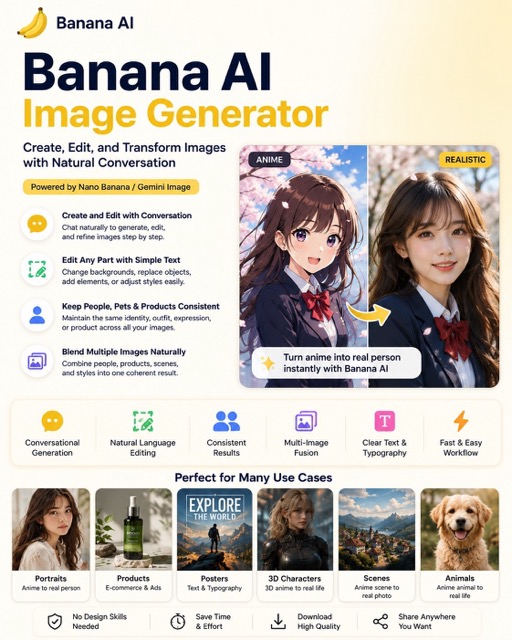
Banana AI Image Generator
Nano Banana 2
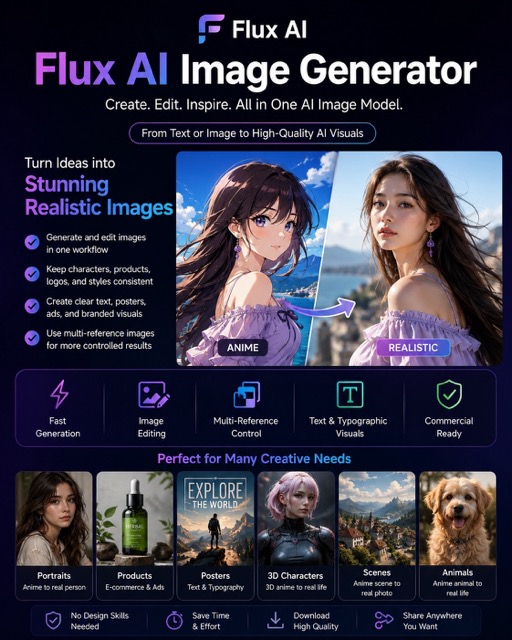
Flux AI Image Generator
Flux

Unleash Creativity with the Grok

Explore the Grok workflow and compare it with the related image pages. The generator is the source of truth for current model access and settings. Use the prompt library to study published results and the model that created them.

Allow time to inspect each image result and refine your brief. Processing time varies by model, request and service load. Change one direction at a time so that you can judge which edit improves the result.

Explore Grok
Unleash Creativity with the Grok
Develop your Grok image brief around the result you need. Keep the main direction specific, check supported settings in the generator, and review the completed work before using it in your project.

From a Brief to a Reviewed Image: The Grok Workflow

Start your Grok image brief with a source image you have permission to use. Name the area to change and the colors, proportions or objects to preserve. Reference count and editing support depend on the selected model.

1

Enter prompt or upload reference

Start your Grok image brief with a source image you have permission to use. Name the area to change and the colors, proportions or objects to preserve. Reference count and editing support depend on the selected model.

2

Review Availability, Settings and Credits

Allow time to inspect each image result and refine your brief. Processing time varies by model, request and service load. Change one direction at a time so that you can judge which edit improves the result.

3

Review and Download Completed Results

When a request completes, inspect the image in History and download the result you want to keep. Review the composition and any unintended details before sharing it with your team or publishing it.

Build Your Grok Image Brief

Write your Grok image brief around a subject, composition, lighting and intended style. Add a material or texture when it matters. For edits, state one precise change and explain which parts of the source should remain intact.

Text-to-image creation

Text-to-image creation

Write your Grok image brief around a subject, composition, lighting and intended style. Add a material or texture when it matters. For edits, state one precise change and explain which parts of the source should remain intact.

  • Use the grok ai image generatorWrite your Grok image brief around a subject, composition, lighting and intended style. Add a material or texture when it matters. For edits, state one precise change and explain which parts of the source should remain intact.
  • The grok imagineWrite your Grok image brief around a subject, composition, lighting and intended style. Add a material or texture when it matters. For edits, state one precise change and explain which parts of the source should remain intact.grok text to image generator.
  • Choose only the resolution and aspect ratio shown for the selected model. Check framing, fine details and any text in the completed image. A larger output size does not guarantee a more accurate result.grok ai photo generator.
  • Rely on this grok image prompt generatorExplore the Grok workflow and compare it with the related image pages. The generator is the source of truth for current model access and settings. Use the prompt library to study published results and the model that created them.
Explore Grok
Natural-language image editing

Write Precise Editing and Style Directions

Explore the Grok workflow and compare it with the related image pages. The generator is the source of truth for current model access and settings. Use the prompt library to study published results and the model that created them.

  • Start your Grok image brief with a source image you have permission to use. Name the area to change and the colors, proportions or objects to preserve. Reference count and editing support depend on the selected model.grok ai image generatorDevelop your Grok image brief around the result you need. Keep the main direction specific, check supported settings in the generator, and review the completed work before using it in your project.
  • The grok imagine platform acts as a sophisticated grok ai image editorFor a Grok product concept, specify the product shape, material, key detail and setting. Keep logos and claims accurate, allow room for your own typography, and review the result before using it in an advertisement.
  • Use the grok image editing aiList the details that matter in your Grok image brief: identity, shape, colors, clothing and background. Use supported references where appropriate and compare every result; exact consistency is not guaranteed.
  • This grok ai photo generatorDevelop your Grok image brief around the result you need. Keep the main direction specific, check supported settings in the generator, and review the completed work before using it in your project.
Explore Grok
Reference image control

Use References to Explain the Intended Result

Start your Grok image brief with a source image you have permission to use. Name the area to change and the colors, proportions or objects to preserve. Reference count and editing support depend on the selected model.

  • The grok ai image generatorList the details that matter in your Grok image brief: identity, shape, colors, clothing and background. Use supported references where appropriate and compare every result; exact consistency is not guaranteed.
  • With grok imagine, you are not leaving things to chance; the grok reference image generator minimizes randomness.
  • Ensure your brand consistency by letting the grok ai photo generator match the exact aesthetic of your provided references.
  • creative for maintaining a cohesive look when using the Grok for marketing visuals.
Explore Grok
Multiple creative variations

Explain Your Subject, Changes and References

Explore the Grok workflow and compare it with the related image pages. The generator is the source of truth for current model access and settings. Use the prompt library to study published results and the model that created them.

  • The grok ai image generatorAllow time to inspect each image result and refine your brief. Processing time varies by model, request and service load. Change one direction at a time so that you can judge which edit improves the result.
  • Use grok imagineFor a Grok product concept, specify the product shape, material, key detail and setting. Keep logos and claims accurate, allow room for your own typography, and review the result before using it in an advertisement.
  • The grok ai photo generator provides you with a variety of options, making it the ideal Grok for social media.
  • Develop your Grok image brief around the result you need. Keep the main direction specific, check supported settings in the generator, and review the completed work before using it in your project.grok imagine ai image generator.
Explore Grok

A Clearer Creative Brief for Grok

Allow time to inspect each image result and refine your brief. Processing time varies by model, request and service load. Change one direction at a time so that you can judge which edit improves the result.

Skip Complex Software

Allow time to inspect each image result and refine your brief. Processing time varies by model, request and service load. Change one direction at a time so that you can judge which edit improves the result.

Turn Ideas into Visuals

Choose only the resolution and aspect ratio shown for the selected model. Check framing, fine details and any text in the completed image. A larger output size does not guarantee a more accurate result.

Check Details Across Every Result

Start your Grok image brief with a source image you have permission to use. Name the area to change and the colors, proportions or objects to preserve. Reference count and editing support depend on the selected model.

Built for Marketing & Social

For a Grok product concept, specify the product shape, material, key detail and setting. Keep logos and claims accurate, allow room for your own typography, and review the result before using it in an advertisement.

Easy Natural-Language Editing

Allow time to inspect each image result and refine your brief. Processing time varies by model, request and service load. Change one direction at a time so that you can judge which edit improves the result.

Rapid Visual Iteration

Allow time to inspect each image result and refine your brief. Processing time varies by model, request and service load. Change one direction at a time so that you can judge which edit improves the result.

Creative Notes for Your Grok Image Brief

“
Give the main subject one clear action. For a Grok concept, a precise brief is easier to assess than a list of competing effects.
Subject & Action
Subject & Actiondotsai.pro creative guide

Grok Image Workflow: Questions & Answers

Develop your Grok image brief around the result you need. Keep the main direction specific, check supported settings in the generator, and review the completed work before using it in your project.

This dotsai.pro page explains the Grok image workflow. It helps you write a focused brief and review the available inputs. Current access is shown in the generator; a model name on a guide does not mean it currently accepts requests.

This dotsai.pro page explains the Grok image workflow. It helps you write a focused brief and review the available inputs. Current access is shown in the generator; a model name on a guide does not mean it currently accepts requests.

Develop your Grok image brief around the result you need. Keep the main direction specific, check supported settings in the generator, and review the completed work before using it in your project.

Write your Grok image brief around a subject, composition, lighting and intended style. Add a material or texture when it matters. For edits, state one precise change and explain which parts of the source should remain intact.

Use only the input modes and controls offered by the selected model. Describe the intended image clearly and add supported references when useful. This page does not promise separate motion-brush, audio-upload, restoration or editing tools.

Develop your Grok image brief around the result you need. Keep the main direction specific, check supported settings in the generator, and review the completed work before using it in your project.

For a Grok product concept, specify the product shape, material, key detail and setting. Keep logos and claims accurate, allow room for your own typography, and review the result before using it in an advertisement.

Choose only the resolution and aspect ratio shown for the selected model. Check framing, fine details and any text in the completed image. A larger output size does not guarantee a more accurate result.

Explore Your Next Grok Image Idea

Allow time to inspect each image result and refine your brief. Processing time varies by model, request and service load. Change one direction at a time so that you can judge which edit improves the result.

Explore Grok
Home

Explore AI Image and Video Workflows with dotsai.pro

Copyright 2025 © All rights reserved.

  • dotsai.pro
Support
  • Pricing
  • support@dotsai.pro
Legal
  • Privacy Policy
  • Refund Policy
  • Terms & Conditions